Your recording.
Already edited.
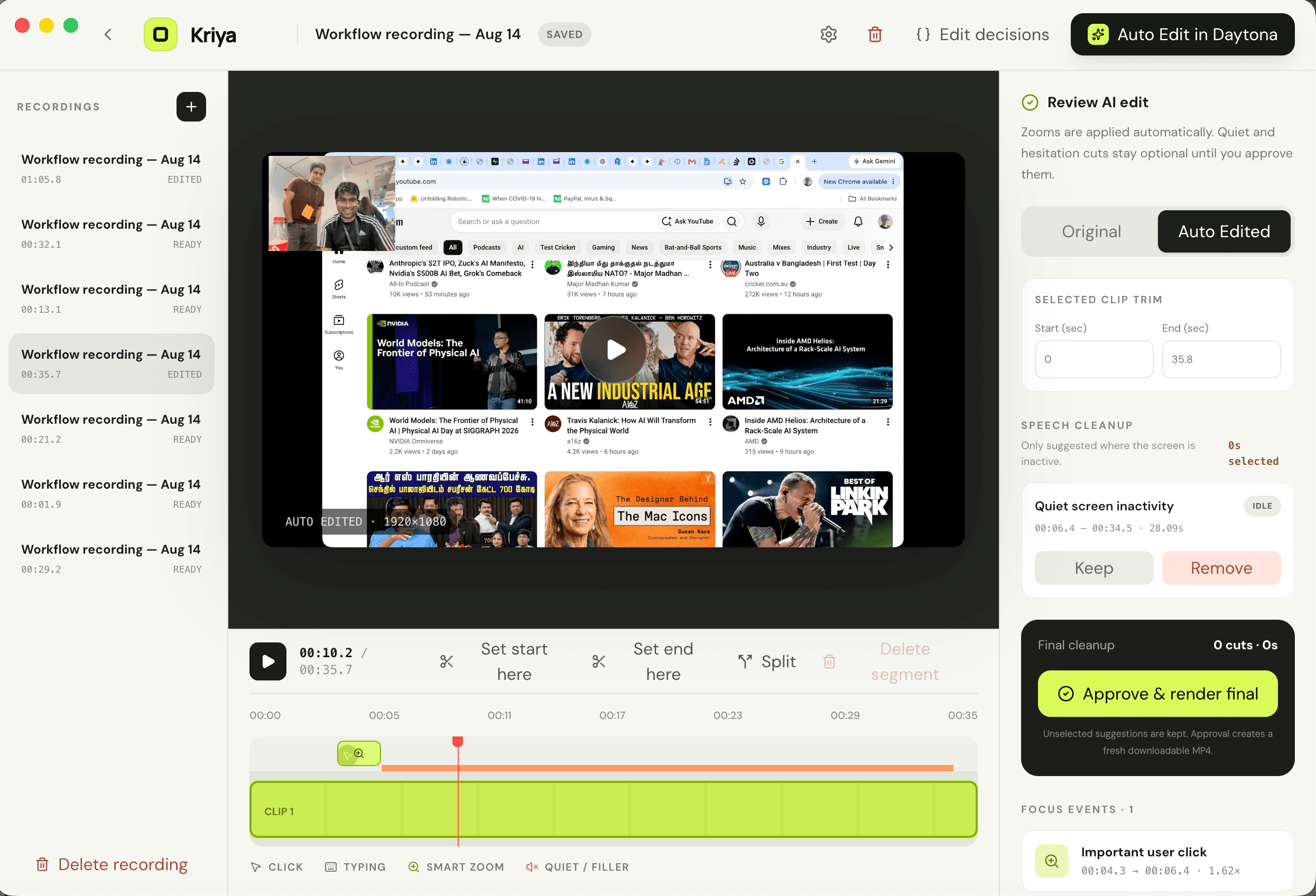
Capture the workflow once. Kriya finds the clicks, directs the viewer, and turns raw screen time into a focused product demo.
See how Kriya compares.
From a quick recording to a finished demo. Find the tool that fits the way you work.
15 features across four workflows. Scroll within the table to explore; swipe sideways on smaller screens.
| Feature | QuickTime | Zoom | Loom | CapCut | Kriya |
|---|---|---|---|---|---|
| Recording | |||||
| Screen recording | ✅ | ✅ | ✅ | ✅Web recorder | ✅ |
| Face cam | ⚠️Separate recording | ✅ | ✅ | ✅ | ✅ |
| Editing | |||||
| Trim & split clips | ✅ | ⚠️Trim & stitch | ✅ | ✅ | ✅ |
| Advanced editing | ❌ | ❌ | ⚠️Focused tools | ✅ | ⚠️Focused tools |
| Auto zoom on actions | ❌ | ❌ | ❌ | ⚠️Manual keyframes | ✅ |
| Auto remove dead time | ❌ | ❌ | ✅Business + AI | ✅AI speech cleanup | ✅Review suggested cuts |
| Speed adjustment | ⚠️Playback only | ⚠️Playback only | ⚠️Playback only | ✅ | ✅1×–4× in the export |
| Your logo on video | ❌ | ⚠️Use a branded background | ⚠️Share-page branding | ✅ | ✅Drag & resize |
| AI & presentation | |||||
| Automatic captions | ❌ | ✅Clip transcripts | ✅ | ✅ | ✅AI setup required |
| Background replacement | ❌ | ⚠️While recording | ⚠️Camera bubble presets | ✅ | ✅Local masking in pitch mode |
| Founder-pitch edit mode | ❌ | ❌ | ❌ | ⚠️Build manually | ✅Up to 60 seconds; AI required |
| Export & privacy | |||||
| 4K output | ✅4K source required | ❌ | ✅Eligible desktop plans | ✅ | ✅Pitch export |
| Step-by-step guides | ❌ | ❌ | ✅Loom AI Suite | ❌ | ✅Chapters + Markdown |
| Local, offline editing | ✅ | ❌ | ❌ | ✅Core desktop tools | ✅Core editor; AI is online |
| YouTube publishing | ❌ | ❌ | ❌ | ✅ | ✅Optional connection |
Kriya keeps editing local. AI services and YouTube publishing are opt-in.
Comparison notes & sources
Selected desktop/web recording workflows, including Zoom Clips and CapCut’s web recorder. Features vary by platform and plan. Checked September 2026.
⚠️ means limited support or a manual alternative. Advanced editing means a general-purpose timeline editor; Loom and Kriya offer focused editing tools. Auto zoom means zooming to recorded clicks, not meeting-camera framing. Dead-time removal includes silence or speech cleanup; Kriya suggests cuts for review.
Playback speed is not the same as exporting a faster video. Share-page branding is not a movable logo in the exported video. Kriya’s guides use your chapters and scenes, not an automatically written SOP. Its founder-pitch workflow needs AI configuration; 4K describes output resolution, not recovered image detail. Offline editing means core desktop edits, not cloud AI or publishing. YouTube refers to in-app publishing, not downloading a file to upload manually.
- QuickTime
- Zoom Clips
- Loom
- CapCut editing
- CapCut recording
- Loom silence removal
- CapCut AI cleanup
- CapCut zooms
- QuickTime editing
- QuickTime export
- Zoom Clips updates
- Loom captions & playback
- Loom branding
- Loom backgrounds
- Loom recording quality
- Loom guides
- CapCut backgrounds
- CapCut branding & publishing
- CapCut speed
- CapCut offline tools
Your videos are files.
Not our inventory.
Choose a folder on your Mac. Kriya reads from it and writes back to it. The hosted app has no shared video disk and cannot browse your library.
Change it any time from the Mac app or browser workspace.
The desktop app runs its local server and FFmpeg against that folder.
Only a processing action you start may send a working copy to isolated compute.
Let the demo
direct itself.
Screen, camera, microphone, interaction-aware zooms, and final MP4 export—in one focused desktop app.
Support Kriya.
If Kriya saved you editing time, a voluntary $5 contribution helps fund development. No features or access are locked behind it.
Optional support. Secure checkout with Stripe.